Running a forecourt means keeping track of pump prices, nearby competitors, fuel deliveries and the records behind each change.
I’ve expanded Fuel Finder UK’s station manager dashboard to bring more of those jobs into one workspace. The update is now live, with local market comparisons, price history, optional email alerts, a market outlook and private tank-stock records alongside fuel-price reporting.
It’s free for approved forecourts, whether you manage one station or several. There’s no paid subscription required.
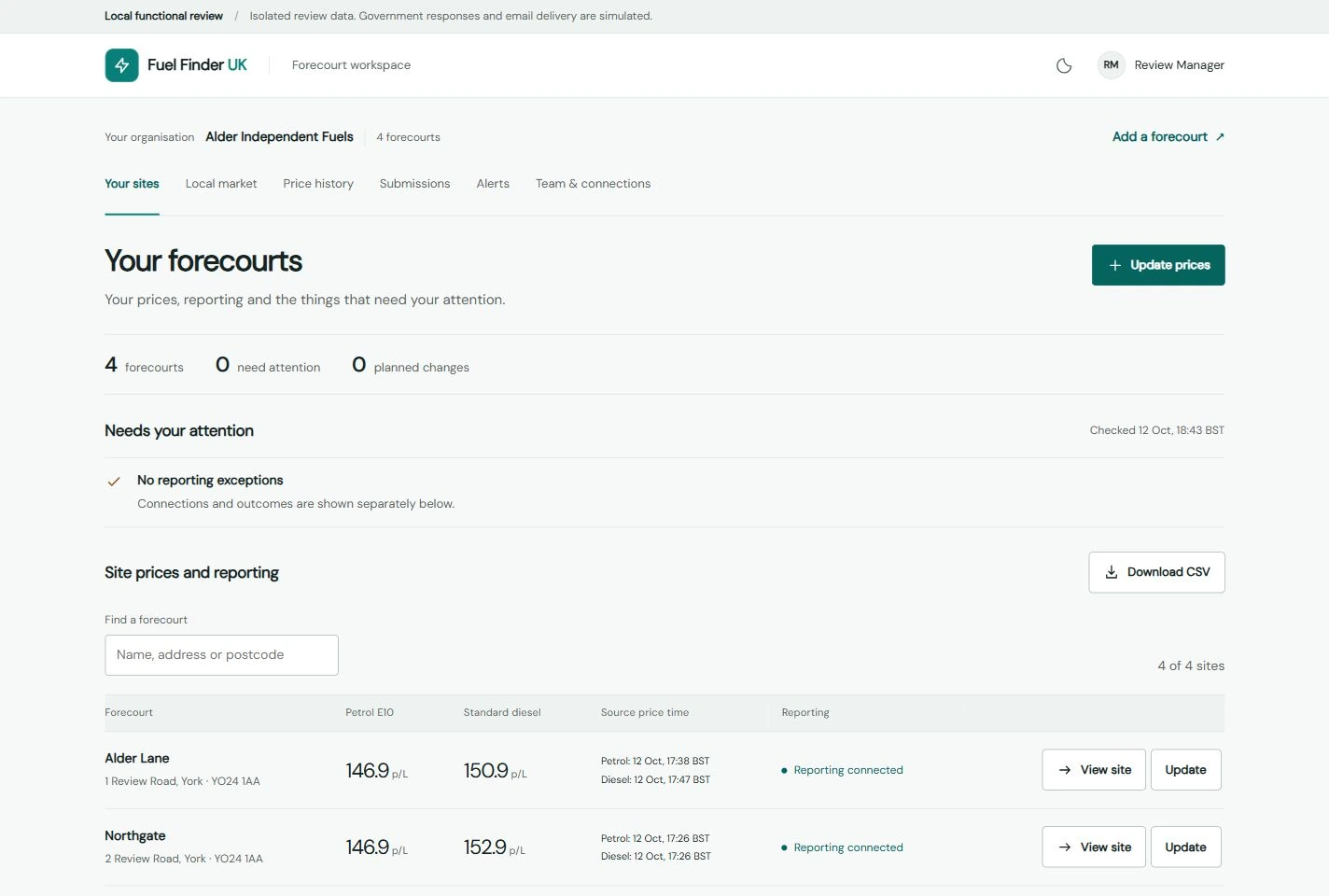
Manage price changes from your dashboard
You can update your forecourt’s supported fuel grades, including premium grades, review the prices and record when the pumps actually changed.
Once your government reporting connection is verified and enabled, you can submit confirmed changes through the workspace and follow their progress. Submission records distinguish government acceptance, the Fuel Finder update and later observation in the official price feed.
You can also prepare a price change in advance. A saved plan keeps the intended prices ready for an authorised colleague to confirm when the pump change happens, before it is submitted.
That gives your team a shared record of what is planned, what has been reported and anything that needs attention.
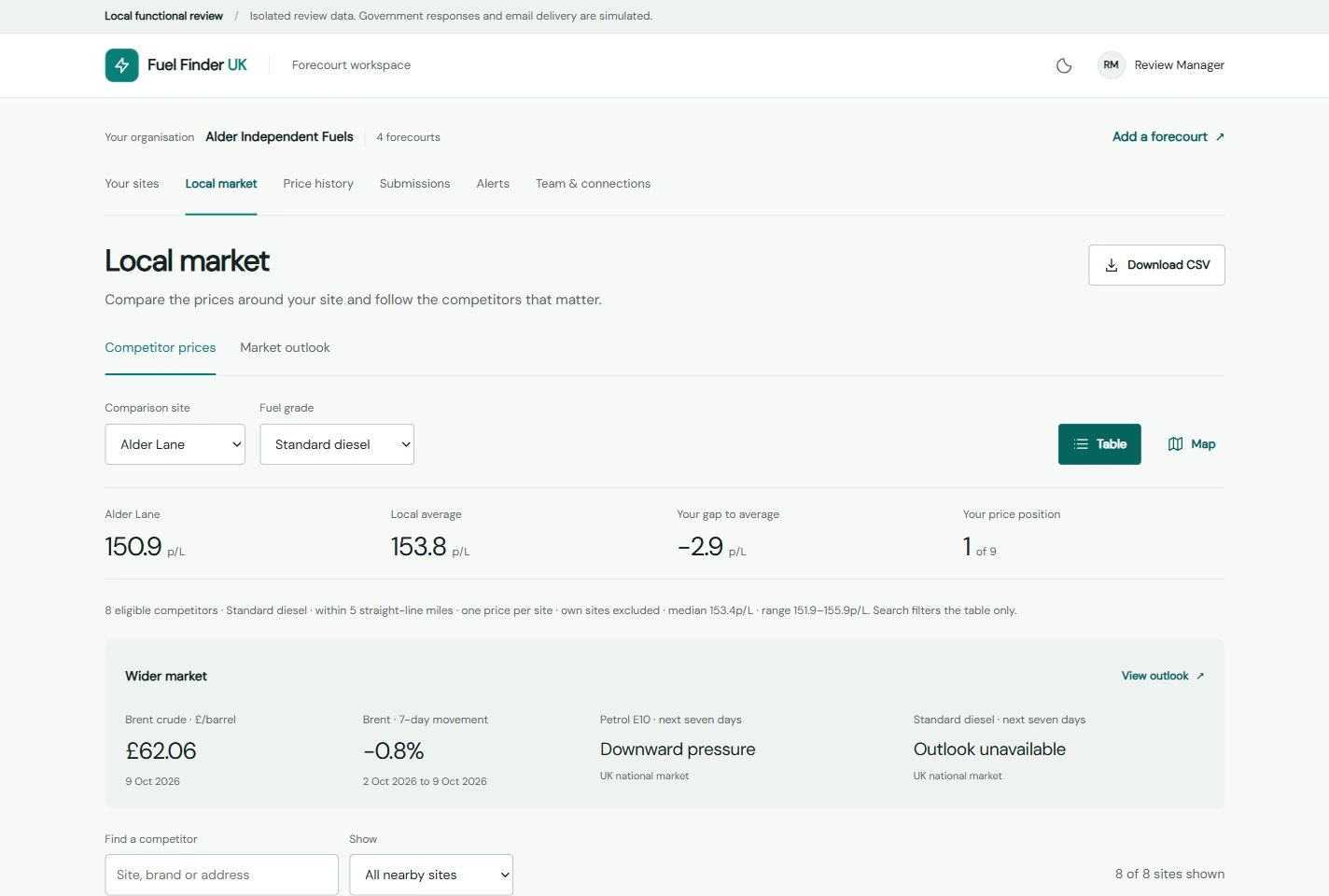
See where your prices sit locally
The local market view lets you compare your forecourt with nearby stations by fuel grade, check the gap against the eligible local average and save the competitors you want to watch.
Reported-price timestamps are shown, so you can judge how current a comparison is. Missing or unsuitable observations are handled explicitly.
Price history helps you look beyond today’s figures and follow recent changes at your station and across the local market. CSV downloads are available for your own records.
For a manager reviewing a price change, that means the nearby prices and recent trends are available alongside their own site information.
Follow Brent and the market outlook
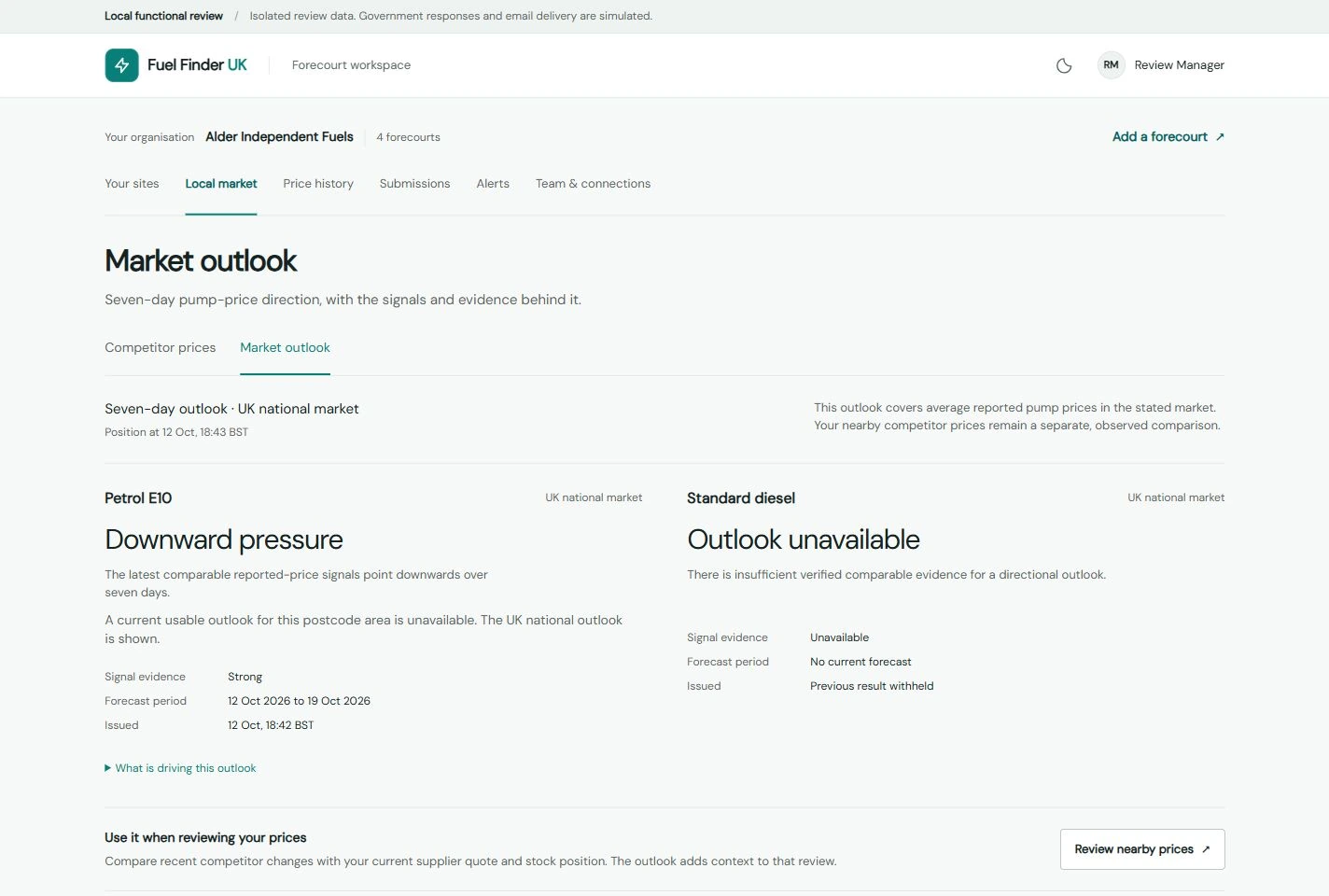
The workspace now includes dated Brent crude observations and exchange-rate context, alongside Fuel Finder’s petrol and diesel market outlook where suitable evidence is available.
You can see when an outlook was issued, the area and fuel it covers, and the supporting information available.
Forecasts are estimates. Their purpose is to help put local price movements into context and support your judgement, with the age and limitations of the information visible.
Understand the recorded cost of fuel in your tanks
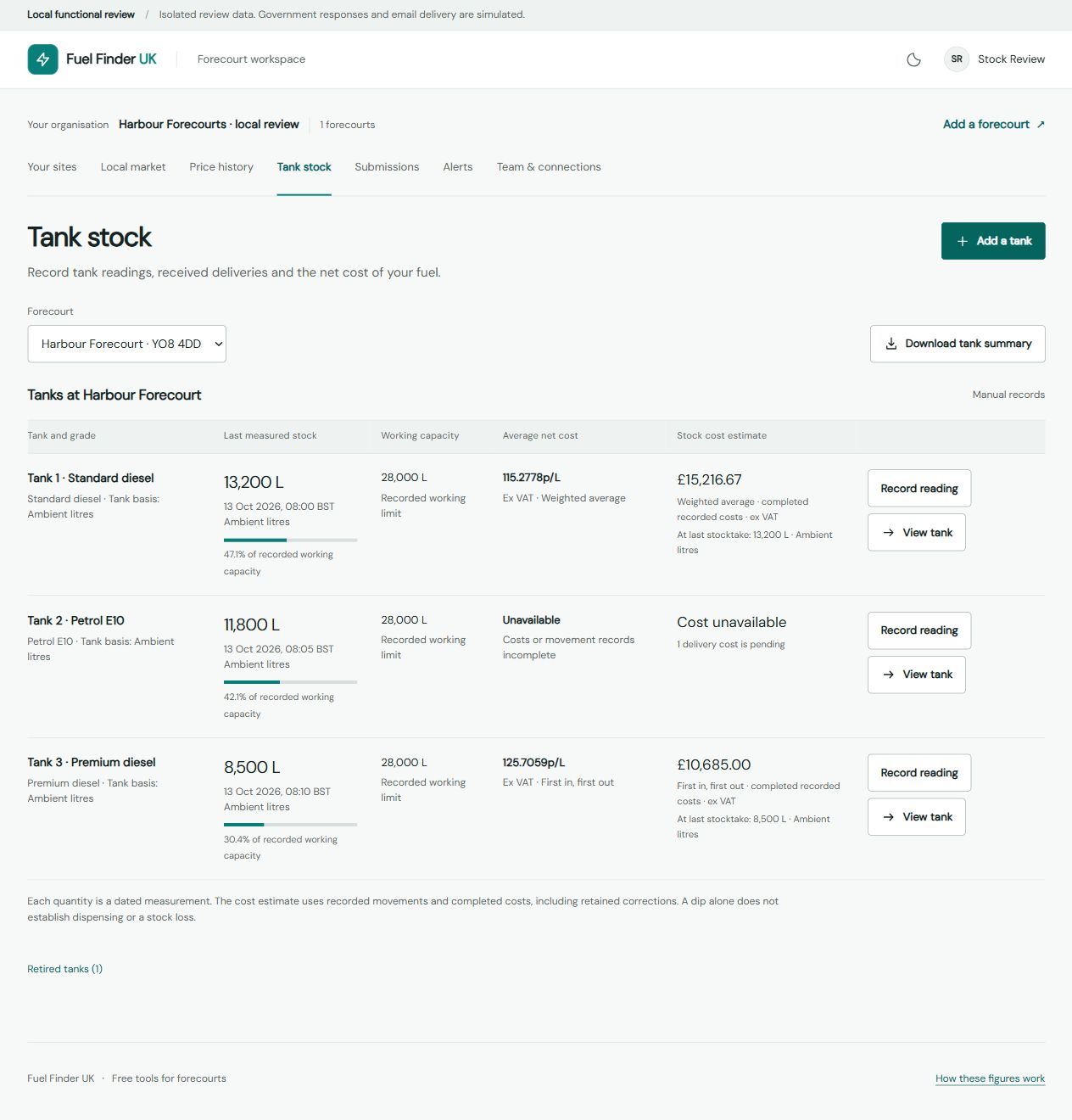
Fuel in a tank can come from several deliveries bought at different prices. The latest invoice alone may give an incomplete picture of what that stock cost.
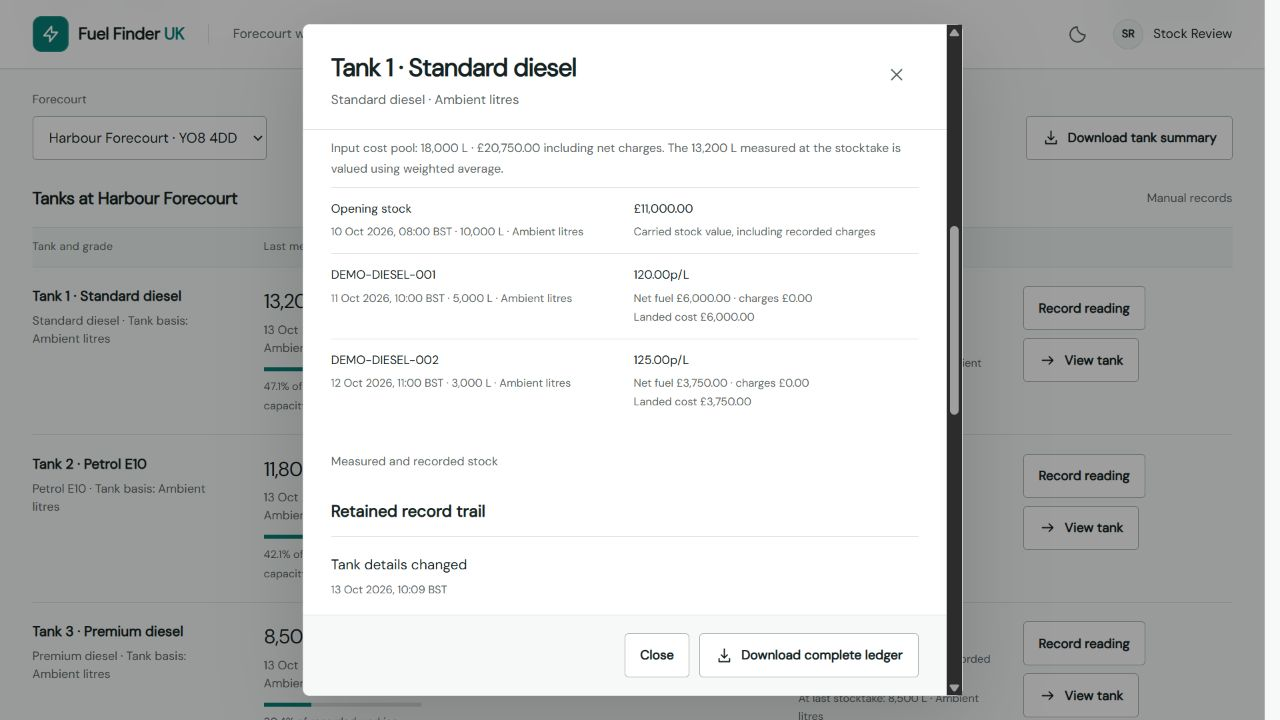
The new tank-stock view lets authorised owners and administrators set up their tanks, enter measured opening stock, record deliveries already received and add subsequent manual readings.
Delivery records include quantities and invoice costs. You can enter costs in pence per litre, pounds per litre or as a total invoice amount, with net delivery charges recorded separately.
For a simple example, equal quantities bought at 135p/L and 140p/L have a combined average cost of 137.5p/L before additional charges. Keeping both delivery records makes that difference visible.
Weighted-average costing is available, with FIFO as an alternative cost-allocation method. These are estimates of recorded historical net cost, excluding VAT, based on the quantities and costs you enter.
If an invoice is still outstanding, its cost can remain unrecorded until the details arrive. Missing costs stay visible rather than being treated as zero.
You can also record metered dispensing, review measurement differences where comparable records are complete, retain a reason for corrections and download the tank ledger. Stock readings show when they were taken, with later deliveries flagged separately.
Commercial tank costs remain private and are restricted to authorised owners and administrators within their assigned sites.
Choose useful alerts, including emails
You can choose workspace alerts for watched competitors changing prices or for gaps between your price and the local average reaching your selected threshold.
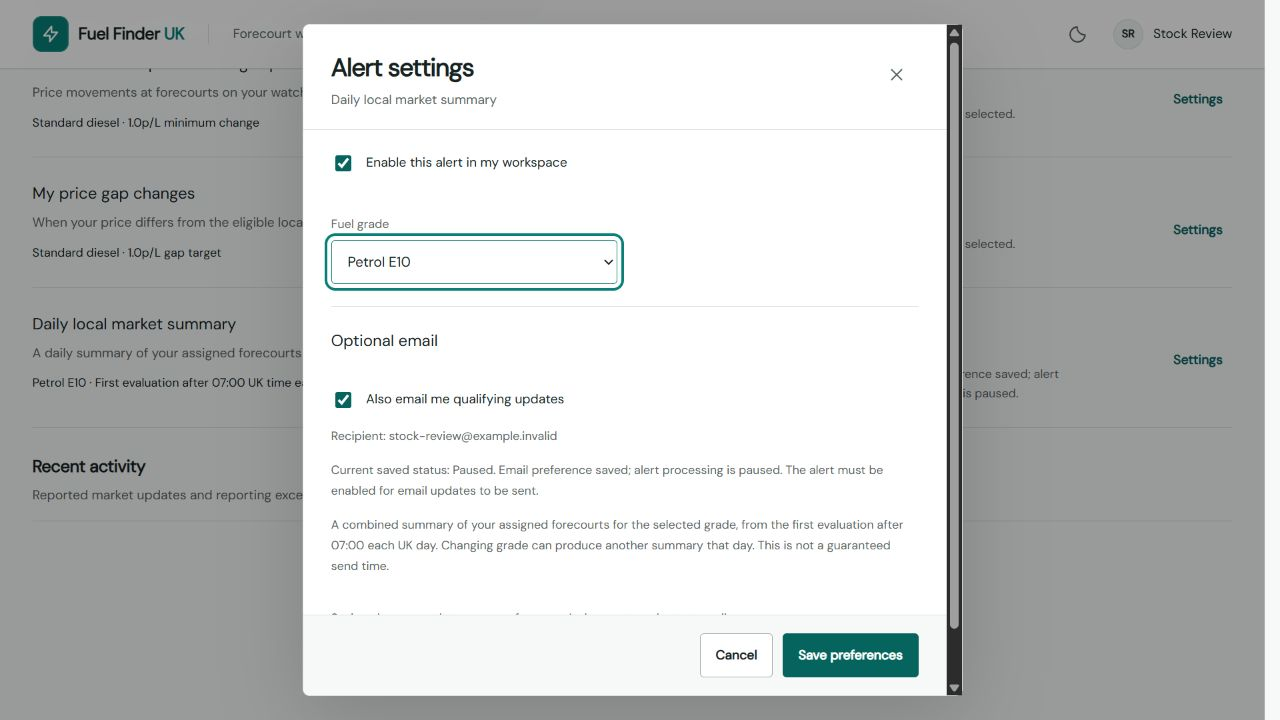
Optional email updates are available, including a daily local market summary for your selected fuel grade across your assigned forecourts.
The Alerts page shows the recipient, saved preferences and delivery status. Reporting issues remain visible in the workspace, with email copies available by choice.
Give your team the access they need
Approved forecourts can sit together in one organisation, making the workspace useful for both individual stations and groups.
Invite colleagues with administrator, price-editor or viewer access, and limit their permissions to the sites they need. The workspace also works on mobile, so your team can check information away from a desk.
Get started with the free forecourt workspace
Existing station managers can sign in to the new workspace using their usual Fuel Finder account.
If your forecourt does not yet have access, find your station and request verified access.
Once approved, you can use the market tools and, with the appropriate role, tank-stock records without government credentials. Official fuel-price reporting also needs a verified GOV.UK Fuel Finder connection and site mapping.
If you manage a forecourt, I’d like you to try the new workspace and tell me how it fits your daily work. Feedback from the people using it will help shape what comes next.